ابزار پشتیبانگیری خودکار اندروید ممکن است با رایانههای سامسونگ سازگار نباشد
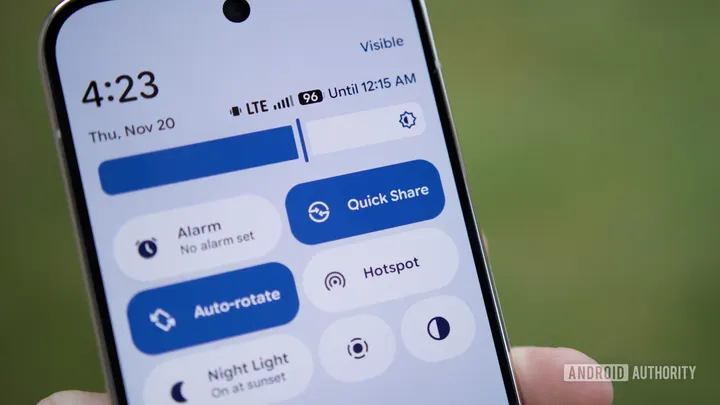
گوگل در حال توسعه یک ابزار پشتیبانگیری محلی جدید برای ذخیره خودکار فایلهای گوشی روی رایانه است. گزارشهای جدید نشان میدهند که این ابزار علاوه بر گوشیهای سامسونگ، رایانههای این شرکت را نیز پشتیبانی نخواهد کرد.
گوگل روی یک ابزار پشتیبانگیری محلی جدید کار میکند تا به کاربران اجازه دهد فایلهای گوشی خود را به صورت خودکار روی رایانه ذخیره کنند. با این حال، جزئیات تازه نشان میدهد که این قابلیت ممکن است محدودیتهایی برای محصولات سامسونگ داشته باشد. پیشتر مشخص شده بود که این ابزار از گوشیهای سامسونگ پشتیبانی نمیکند و اکنون مشخص شده که رایانههای شخصی سامسونگ نیز از آن مستثنی هستند.
نسخههای جدید خدمات گوگل پلی نشان میدهد که گوشیها و رایانههای سامسونگ در حال حاضر توسط این ابزار پشتیبانی نمیشوند. این محدودیت احتمالاً به این دلیل است که سامسونگ ترجیح میدهد کاربرانش از ابزارهای اختصاصی خود برای پشتیبانگیری استفاده کنند. در همین راستا، ابزار اشتراکگذاری Quick Share گوگل نیز کاربران رایانههای سامسونگ را به نصب برنامههای خود سامسونگ هدایت میکند.
برای سایر کاربران، این ابزار میتواند یک روش کاربردی و رایگان برای پشتیبانگیری از عکسها و ویدیوها بدون نیاز به فضای ابری یا کابل باشد، هرچند گوگل هنوز تاریخ انتشار نهایی آن را اعلام نکرده است.
Android’s upcoming automatic backup tool might not play nicely with your PC
Got a Samsung Galaxy Book laptop? This Google tool may not be for you.
Affiliate links on Android Authority may earn us a commission. Learn more.
Android's upcoming automatic backup tool might not play nicely with your PC
Oct 28, 2026 — 4:41 PM ET
- Google’s been working on a new local backup tool to automatically save phone files to your PC.
- Earlier updates revealed that Samsung phones wouldn’t be supported.
- That language is now expanding to additionally exclude Samsung PCs.
In 2026, you might have expected “storage” to be a largely solved problem, but somehow it never seems to last as long as we’d hope. Between galleries of pics, videos, and all the latest apps we’ve installed, device storage still fills up far too quickly — and we don’t even have microSD expansion anymore! Earlier this year we spotted Google working a new tool that promised to help ease our storage concerns a bit, automatically backing up device files to our PCs. While that’s still not quite ready to make its debut, we’ve uncovered a couple new details about how it’s taking shape.
You’re reading an Authority Insights story. Authority Insights brings you all the latest exclusive reports, app teardowns, leaks, and in-depth tech coverage from the Android Authority team that you won’t find anywhere else.
Everyone points to cloud backup as the obvious solution to modern storage needs, but that’s hardly the silver bullet it’s often made out to be. Upload speeds are still quite slow for a lot of users, and more often than not, with cloud storage we’re paying perpetual subscription fees.
That’s exactly why we were so excited to spot this “Automatic backup” tool in Android Quick Share settings. But while it looked very promising for most of us, by summer we uncovered new evidence suggesting that not everyone would be able to take advantage of this solution, with the tool preparing to explicitly exclude Samsung phones. At the time, we speculated that this might be due to Samsung preferring its users take advantage of the company’s own backup tools.
We still don’t quite have the full picture there, but today we can add at least one new plot point to the story: Beyond just excluding Samsung phones, Google’s backup tool also looks like it’s not planning to support Samsung computers.
<string name="nearby_sharing_file_sync_info_samsung_not_supported">Samsung phones and PCs aren’t currently supported</string>
This expanded string appears in version 26.43.30 of Google Play Services, replacing the prior reference to phones alone. This suggests that Google’s feature could be even more restrictive than we previously thought — but also, still in a way that fits with our earlier interpretation of the reasoning behind it.
This other change is a bit more minor, but still related to that restriction. We’ve been curious about exactly how this backup tool might be branded. While we found Google preparing to place these options within Quick Share settings, we did notice that the language Google used in doing so didn’t make any further references to Quick Share.
<string name="nearby_sharing_file_sync_automatic_backup_description">Keep your memories safe with automatic backup. Once set up, Quick Share automatically saves your photos and videos to your PC. No cables or cloud subscriptions needed.</string>
<string name="nearby_sharing_file_sync_info_start_on_pc_title">Start setup on your Windows PC</string>
<string name="nearby_sharing_file_sync_info_start_on_pc_description">Set up automatic backup from the Quick Share for Windows app. Keep your phone nearby and on, with both devices signed in to the same Google Account.</string>
With this update, Google’s finally starting to embrace Quick Share branding. For instance, this “Keep your memories safe…” message is due to replace the old “Files you select on this phone…” text from the earlier screens you see above.
None of that’s particularly surprising to see — we’re just wondering a bit why it took so long to finally show up. Perhaps Google wasn’t entirely sure how it wanted to position this tool when first building it out, but by now its Quick Share home is looking reasonably well established.
That also helps further cement the issue of Samsung support. Google’s Quick Share for Windows software already directs Samsung users to install the company’s own app:
Quick Share by Google is meant for non-Samsung PCs. If you have a Samsung PC please install Quick Share from Samsung from the Microsoft Store. Quick Share by Google is no longer supported on Samsung PCs.
For the rest of us, though, this still sounds like it could be a very handy, money-saving backup option. Now if Google would just ever get around to finishing work on it…
Source report: Android Authority.
گزارش فارسی این خبر با کمک هوش مصنوعی و فقط بر اساس اطلاعات منتشرشده در منبع تهیه شده است.